Ask a shopper what they want to know about a piece of clothing before they buy it, and fabric is almost always near the top. Is it cotton or polyester. Is the linen real. How much stretch is in those jeans. Fabric is the first quality signal a fashion shopper reads, and on most product pages it is one of the worst-displayed fields on the page, when it is there at all.
This guide is about fixing that on Shopify: why fabric carries so much weight in a buying decision, the three ways stores display it and which one actually works, how to set up fabric data properly so it is structured rather than buried, and how to handle the products where you are not certain of the composition yet. None of it requires editing your theme’s code.
Why fabric is the number one trust signal
Fabric is where perceived quality lives. A dress described only by its cut and color could be anything; the same dress described as 100 percent linen or 95 percent silk reads instantly as a different class of product. Shoppers use composition as a proxy for how a garment will feel, how it will wear, how it will breathe, and whether the price is justified. Natural fibres like cotton, linen, silk, and wool carry a premium in the shopper’s mind, and synthetics carry expectations of their own. Leaving the fabric unstated forces the shopper to guess at exactly the attribute they care most about.
Fabric also sits upstream of two other things. It drives care, because you cannot tell a shopper how to look after a garment without knowing what it is made of, and it increasingly drives compliance, because fibre composition is a core data point in the EU’s forthcoming Digital Product Passport for textiles. Capturing fabric as clean, structured data is useful well beyond the product page.
The three ways stores display fabric, and which one wins
There are really three formats in the wild, and they are not equal.
Text in the description. Fabric is written into a sentence somewhere in the product copy: “made from a soft 80 percent cotton, 20 percent polyester blend.” It is the most common approach and the weakest. The fact is present, but it is unstructured, hard to find, and easy to skip.
A specifications table. Fabric gets its own row in a details table or a collapsible section. This is a real improvement: the information is structured and findable, and it reads consistently across products. It is the sensible baseline every store should at least reach.
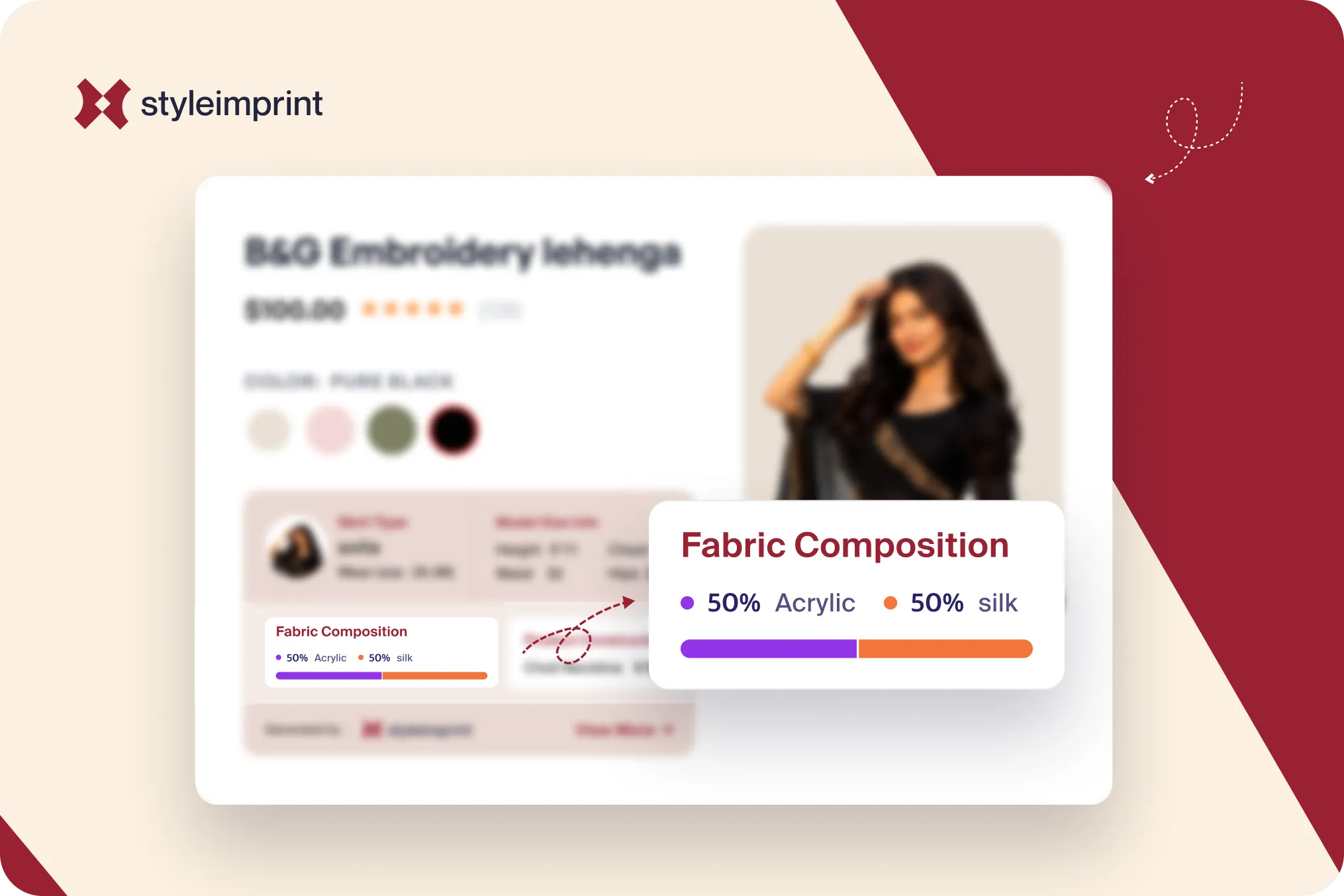
A visual percentage bar. The composition is rendered as a labeled bar, a long cotton segment and a short elastane segment, with the percentages shown. This is the strongest format because it communicates proportion the way the eye prefers to read it, as a picture, not a calculation.
The reason the bar wins comes down to how people actually use a product page. Shoppers scan rather than read, and a proportion shown as a bar is understood in a glance while the same proportion written as a sentence has to be parsed. The information is identical in all three formats. The difference is how much of the shopper’s brief attention it survives.
How to set up fabric data on Shopify
Whichever format you display, the foundation is the same: store the composition as structured data, not as a line in the description. Shopify gives you two clean ways to do this.
Use the built-in fabric category metafield. For apparel categories, Shopify provides a standard fabric category metafield out of the box, alongside fields like neckline and sleeve length. If you have set product categories correctly, much of this scaffolding already exists in your admin.
Or create a custom material_composition metafield. Go to Settings, then Custom data, then Products, and add a definition such as material_composition. Defining it first gives you validation, a tidy admin field, and the ability to use it as a dynamic source in the theme editor. Enter values like “80% cotton, 20% polyester” per product.
To show it as text, open the theme editor, add a block where you want the fabric to appear, and connect it to the metafield using the dynamic-source icon. No code. For stores with reusable material definitions, metaobjects let you define a material once and reference it across many products, so you maintain it in one place. And when you are populating hundreds of products, the Shopify bulk editor and CSV import, which now includes metafield columns, let you fill composition at scale rather than one product at a time.
The one thing to avoid is leaving fabric only inside the description. A line of prose is not structured data. It cannot be displayed as a bar, it cannot be filtered, and it cannot be read cleanly by the systems that increasingly parse product pages.
Confirmed versus unknown: do not guess the fabric
Here is a problem every catalogue hits. For some products the composition is obvious and already sitting in the title or description, “100% cotton t-shirt.” For others it is genuinely missing, and the honest answer is that you do not know yet. The wrong move is to fill the gap with a guess, because a wrong fabric claim is worse than a blank one. It erodes trust and, for fibre content, it can be a labelling problem.
The better pattern is a confirmed-versus-unknown distinction. Where the composition can be read reliably from existing product data, show it as confirmed. Where it cannot, flag the product as needing fabric information rather than inventing a value, so you can fill it deliberately later. This keeps what you display accurate, and it turns a vague “we should add fabric someday” into a concrete list of products to fix. Accurate and incomplete beats complete and wrong, every time, on a field shoppers use to judge quality.
The quiet bonus: fabric data is what AI shopping tools read
There is a second audience for structured fabric data now, and it is growing fast. AI shopping assistants and answer engines parse product pages for specific attributes, material, dimensions, care, and they extract them far more reliably from clean, labelled fields than from a sentence inside a paragraph. Shopify has reported sharp growth in traffic and purchases originating from AI sources. A product page whose fabric lives in a structured metafield is legible to those systems; one whose fabric is buried in prose is much harder for them to read. Structuring fabric for your human shoppers happens to structure it for the machines that are starting to shop alongside them.
Doing all of this by hand, defining the fields, filling them accurately, and rendering them as something better than text, is the part that stalls. StyleImprint reads your existing product data to populate fabric where it can confirm it, flags the products where it cannot rather than guessing, and renders the composition as a visual bar on the page, with each of the garment templates knowing which fabric fields make sense for that product type. But the principle holds with or without an app: structure the data, show the proportion, never fake a value.
The short version
Fabric is the first quality signal a shopper reads and the most commonly buried one. Get it out of the description and into structured data, using Shopify’s built-in fabric category metafield or a custom material_composition field. Display it as more than text: a specifications row at minimum, a labeled percentage bar at best, because a proportion is read faster as a picture than as a sentence. Where you are sure of the composition, show it; where you are not, flag it rather than guess. The same structured fabric data that helps a human decide is also what the new wave of AI shopping tools reads, so doing this well pays off twice.
Frequently Asked Questions
How do I display fabric composition on a Shopify product page?
Store the composition as structured data, then display it. Shopify offers a built-in fabric category metafield for apparel, or you can create a custom material_composition metafield under Settings, Custom data, Products. Connect it to a theme block with the dynamic-source icon to show it as text, or use an app to render it as a visual percentage bar. Avoid leaving fabric only inside the description, where it is hard to find and not machine-readable.
Does Shopify have a fabric metafield?
Yes. For apparel categories, Shopify provides a standard fabric category metafield, alongside fields like neckline and sleeve length. You can use it as is, or create your own custom material_composition metafield if you want full control over format. Either way it renders as text unless you display it with something that draws a visual bar.
How do I show material percentages on a product page?
Enter the composition as structured values, for example 80 percent cotton and 20 percent polyester, rather than a single sentence. Stored as data, those percentages can be displayed as a labeled bar where the eye reads the proportion instantly, instead of a line of text the shopper has to parse.
Why show fabric composition as a bar instead of text?
Because shoppers scan rather than read, and a proportion is understood faster as a visual than as a number. A bar showing mostly cotton with a thin band of elastane is read at a glance, while the sentence carrying the same facts is often skipped. The information is identical; the bar just survives the few seconds of attention a product page gets.